AI tools for beginners are applications that use artificial intelligence to help you write, create images, organize information, or automate tasks — without requiring any coding or technical background. The best ones for someone just starting out are ChatGPT (writing and general help), Canva's AI features (design), and Perplexity (research), because all three work through simple chat or web interfaces with generous free tiers.
If you've never used an AI tool before, this guide walks you through exactly what they are, which ones to try first, and how to avoid the confusion that trips up most beginners.
What Is An AI Tool?

An AI tool is software that uses machine learning models to perform a task that used to require a human — writing text, generating images, transcribing audio, or answering questions — based on a simple instruction you type or speak. Unlike traditional software where you click through menus, most AI tools work conversationally: you describe what you want, and the tool produces it.
The tool sits on top of a larger AI model (like GPT, Claude, or Gemini) and adds a specific interface for a specific job. ChatGPT, for example, is built on OpenAI's GPT models but packaged as a chat app anyone can use.
Why Should Beginners Use AI Tools?
AI tools save time on repetitive tasks and lower the skill barrier for things that used to require training, like graphic design or coding. A beginner can write a first draft, generate a logo, or summarize a 40-page PDF in minutes instead of hours, using nothing but plain English instructions.
You don't need to understand how the underlying model works to get value from it. The learning curve is mostly about learning to ask clearly — a skill this guide covers below.
The First 5 AI Tools Every Beginner Should Try
| # | Tool | Best For | Free Tier |
|---|---|---|---|
| 1 | ChatGPT | General writing, brainstorming, Q&A | Yes, generous |
| 2 | Perplexity | Research with cited sources | Yes, generous |
| 3 | Canva (Magic Studio) | Design, images, presentations | Yes, limited credits |
| 4 | Google Gemini | Writing + integrates with Gmail/Docs | Yes, generous |
| 5 | Otter.ai or similar | Transcribing meetings/notes | Yes, limited minutes |
These five cover the tasks most beginners actually need: writing, research, design, and organization. Start with one or two rather than trying to learn all five at once — most people settle into a "core stack" of 2-3 tools they use daily within their first month.
How Do I Choose Which AI Tool to Start With?
Pick the tool that matches the task you already do most often, not the one that's trending. If you write emails and documents daily, start with ChatGPT or Gemini. If you make social media graphics, start with Canva's AI features. Matching the tool to an existing habit means you'll actually keep using it instead of abandoning it after one try.
A simple rule: don't add a second AI tool to your routine until the first one has become a habit you reach for without thinking.
What's the Difference Between Free and Paid AI Tools?

Free tiers typically limit how many requests you can make per day or restrict access to the most advanced model version, while paid tiers (usually $10-25/month) unlock higher usage limits and better model quality. For a beginner, free tiers are almost always enough to learn the basics and decide if a tool is worth paying for.
Watch for tools that market themselves as "free" but only give you 3-5 uses before demanding payment — that's a trial, not a free tier, and it's worth checking the fine print before you commit time to learning a tool's interface.
How Do I Write a Good Prompt as a Beginner?
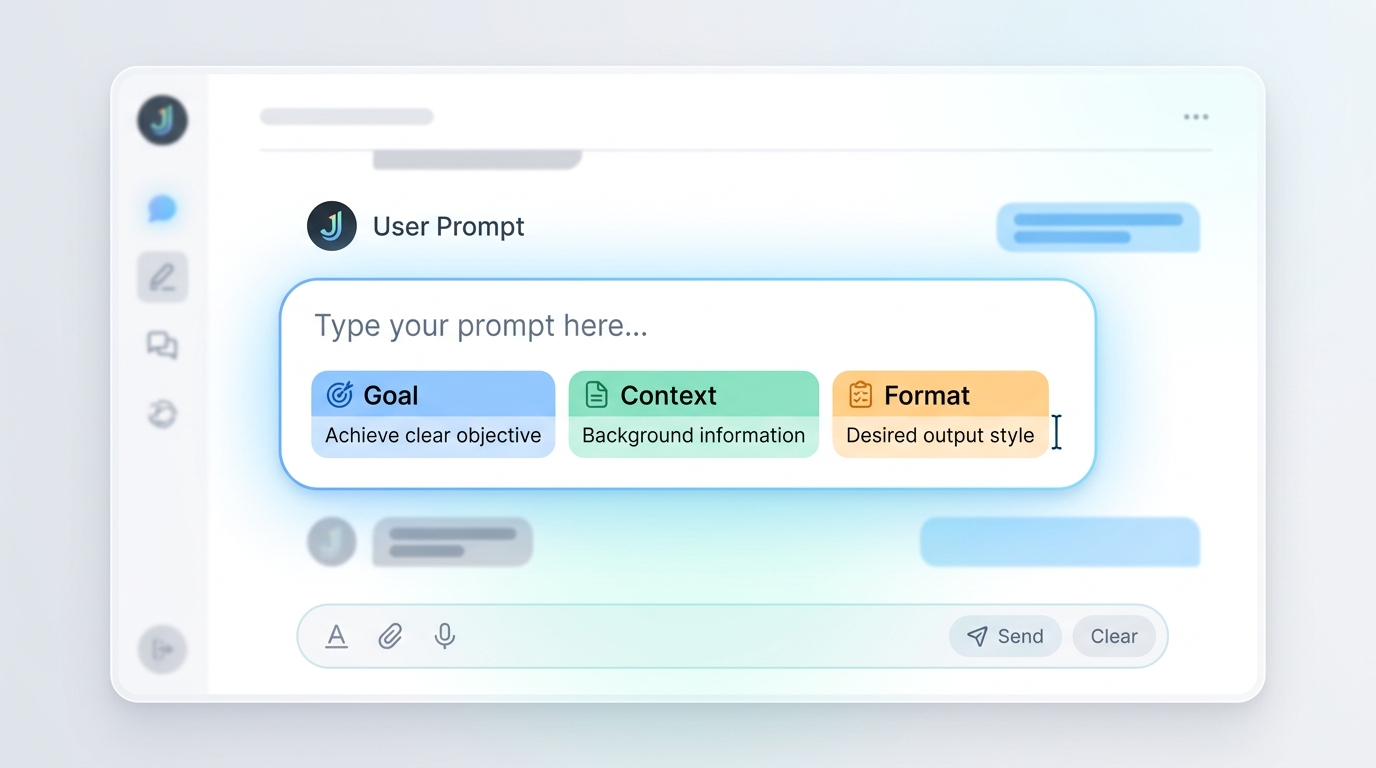
A good prompt tells the AI tool what you want, who it's for, and what format you need — the more specific you are, the better the result. Instead of asking "write about dogs," try "write a 200-word Instagram stationery item about why golden retrievers make good family pets, in a friendly and casual tone."
Three things improve almost any prompt instantly:
- State the goal — what are you trying to accomplish?
- Give context — who's the audience, what's the format?
- Set a length or style — short/long, formal/casual, bullet points/paragraphs?
Is It Safe to Use AI Tools as a Beginner?
Most mainstream AI tools are safe for general use, but you should avoid entering sensitive personal information (passwords, financial details, medical records) into any AI chat, since some tools use conversations to improve their models unless you opt out. Check each tool's privacy settings — most major providers now offer a toggle to disable data use for training.
If privacy is a top concern for you, we've written a full guide on which AI tools don't train on your data and a broader explainer on AI tool safety and privacy.
Common Beginner Mistakes to Avoid
- Trying too many tools at once — pick one, use it for a week, then expand.
- Writing vague prompts — vague input produces vague output.
- Trusting AI answers without checking them — AI tools can be confidently wrong; verify anything important.
- Ignoring the free tier limits — hitting a wall mid-task is frustrating; check usage limits before starting big projects.
- Skipping the settings — most tools let you customize tone, memory, and data use; a five-minute setup saves confusion later.
Frequently Asked Questions
What is the easiest AI tool for a complete beginner?
ChatGPT is generally considered the easiest starting point because it works through simple conversation, requires no setup beyond a free account, and handles a wide range of everyday tasks like writing, brainstorming, and answering questions.
Do I need to know how to code to use AI tools?
No. The vast majority of consumer AI tools, including ChatGPT, Canva, and Gemini, are designed for plain-English instructions and require zero coding knowledge.
How much do AI tools cost for beginners?
Most major AI tools offer a free tier that's sufficient for learning and light use, with paid plans typically ranging from $10-25/month for higher usage limits and advanced features.
Can AI tools replace human skills entirely?
No — AI tools are best used to speed up drafts, research, and repetitive tasks, but human judgment, editing, and final decision-making remain essential, especially for anything published publicly or used professionally.
How long does it take to get comfortable using AI tools?
Most beginners feel comfortable with basic prompting within a few days of regular use, and develop more advanced prompting skills over 2-4 weeks of practice.
This guide is part of LearningAI.Space's beginner series. For tool-specific comparisons, see our guide on ChatGPT vs Claude vs Gemini vs Perplexity.